Category Archives: EN – Geek Challenge

THE 256 LETHARGICDOG GEEK CHALLENGE #003/256


Challenge #003: Your Hometown Skate Park with Sketchup

GOAL:
The goal of this challenge #003 is to use Trimble Sketchup (Used to be Google Sketchup) at www.sketchup.com for designing a Skate Park.

skate_graffiti

DESCRIPTION:
There’s not much to be said about the skate park itself. Everybody knows what it is. But it has to be made of at least three modules, two at both ends and one in the middle. I expect some street art on each face, based on photos or anything else.
Regarding Sketchup itself, make sure you download the free version (Make), unless you have other projects that require advanced features.

4761__sketchup_pro_2_10_6_15

ACHIEVEMENT EXPECTED:
In order to succeed, you have to use the Sketchup App, available at http://www.sketchup.com.
After the Skate Park is finished, you will have to export it into a 2D picture (PNG format), so then you can publish it on any of your favorite social networks.
Should you need any help for getting started, you will find many templates and members achievements on the Sketchup site (check the “Learn” Menu). Hundreds of YouTube tutorials are also available.
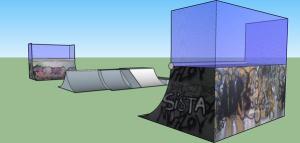
SkateParkJeremie

If you can get close enough to the picture on my sample above or even better, or if you prefer to user your favorite 3D design app instead, you can consider it a success and choose another LethargicDog 256 Geek Challenge.
Have fun, and good luck !
Pascal

Sketchup

Pong on Scratch.Mit.Edu (Challenge #001/256 Howto)


Hi,

About a month ago, I wrote about the very first of my 256 Geek Challenges, (see Challenge #001/256).
If u struggle to finish it, you will find below the result I expected, and you will be able to see the details as well.

Notes and Credits:
All the work included is from me, apart from original sound ‘pop” featured as standard.
The game is a tribute to Original Atari Game “Pong”, 1972.
The purpose of this development is to be a sample for my students, kids, friends kids, my nephews and nieces also.
I consider programming and computer skills to be as important as foreign languages, maths, physics, history and sports. Everybody should be able to program a computer according to Steve Jobs.
Instructions:
Click the Green Flag to Start the game.
2 people can play.
Left player uses A and Q keys for Up and Down.
Right player uses P and L keys for Up and Down.
First player to score 11 wins.

Theoretically, you should be able to play my scratch game from there, hope this works fine. Click on image below to play the game:
Pong Scratch

If you want to see code and details, click the link:
Original Pong Game 1972 with Scratch. (Code, Images, Details)

Take Care.
Pascal

The 256 LethargicDog Geek Challenge #002/256


Challenge #002: Build a Porsche 918 Spyder with Lego Digital Designer

GOAL:
The goal of this challenge #002 is to use the Lego Digital Designer Application, available for download at ldd.lego.com in order to design/build a Porsche 918.

DESCRIPTION:
Lego Digital Designer is a 3D design application that let you build Lego models the same way that you could design them for real.

Most of the bricks are available in several categories. You have to pick a brick and take it into your model, and repeat that simple step until the job is done.

image

The model you have to build is the Porsche 918 Spyder, Lego set #75910. If some parts are not available yet at the time of reading, you can adapt the model and try to get as close as possible. Don’t get fooled by the age range written on the box, because the design with LDD is not as straightforward at it seems.

image

ACHIEVEMENT EXPECTED:
In order to succeed, you have to use the Lego Digital Designer Application, available for download at ldd.lego.com and build the car, but also add the racing driver in his suit, and a finish line as well.
Should you need any help for getting started, you will find online help and tips. Dozens of YouTube tutorials are also available.

image

After you have created your model, the app will let you generate the assembly instructions as a PDF. Once done, you can consider it a success and choose another LethargicDog 256 Geek Challenge.
Have fun, and good luck!

Pascal

The 256 LethargicDog Geek Challenge #001/256


Challenge #001: Original Pong Game Programming With Scratch

GOAL:
The goal of this challenge #001 is to use MIT Scratch at scratch.mit.edu for programming a game named “PONG”

image

DESCRIPTION:
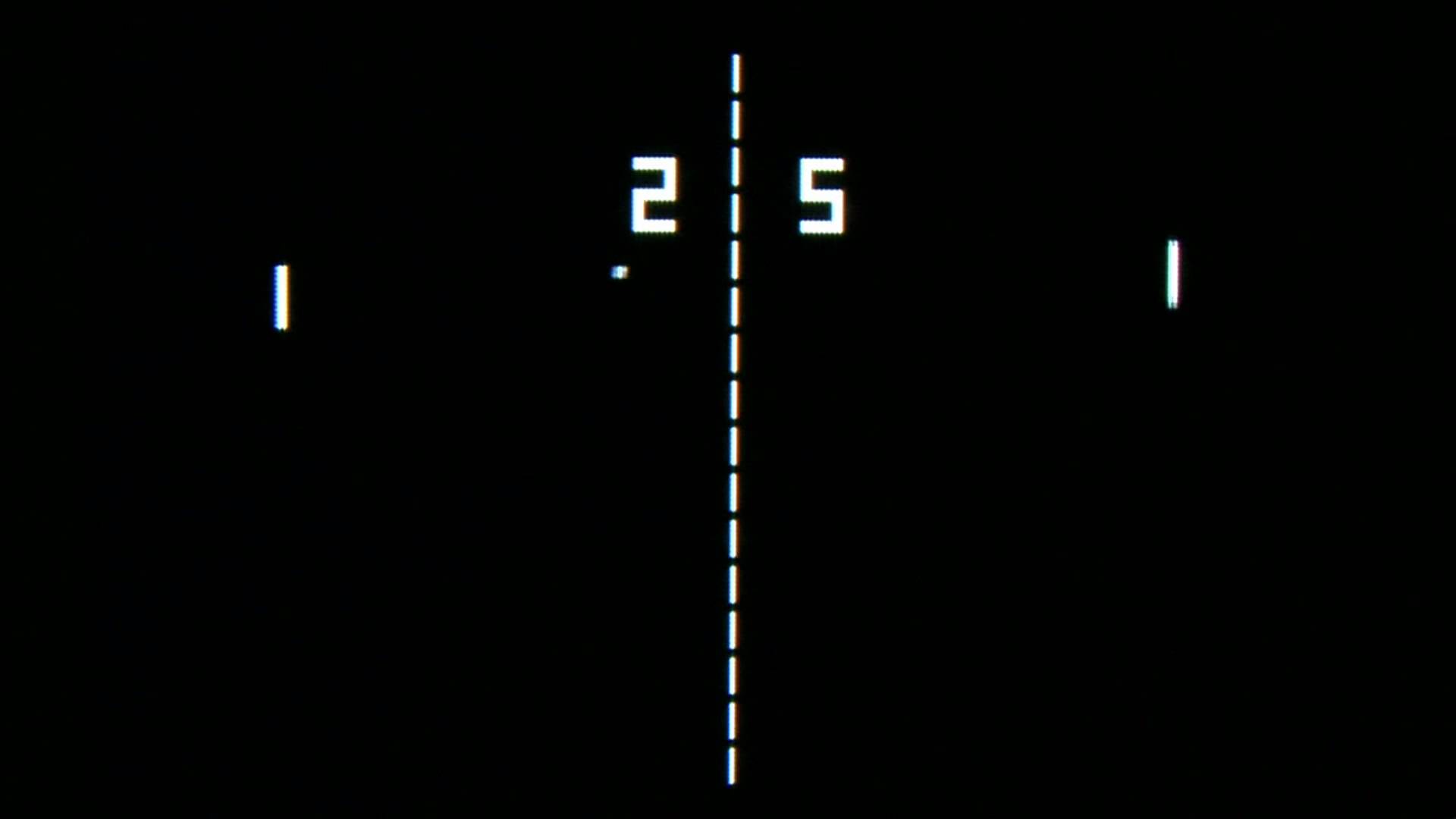
PONG is a quite simple game that was originally created in 1972 by the company Atari. It is well known as one of the very first mainstream Videogames ever. The purpose of the game is a puddle/ball game similar to tennis or table-tennis. It involves one player (against the machine) or two players. This is a black and white two dimensional game, with basic graphics.

The audio is fairly simple, with no background music but a simple beep as the ball hits any paddle or pitch side.
The score is kept above the field (upper side of the screen). Each player earn one point each time the opponent fails to return the ball.
The first one to reach eleven points wins the game.

ACHIEVEMENT EXPECTED:
In order to succeed, you have to use the Scratch Programming environment, available at scratch.mit.edu
Should you need any help for getting started, you will find many templates and members achievements on the Scratch site. Hundreds of YouTube tutorials are also available.

image

After you have created an account on the website, you will be able to save your program and share it to the world.
If you can get close enough to the gameplay, the graphics, the “flavour”, and sound of the original game, you can consider it a success and choose another LethargicDog 256 Geek Challenge.
Have fun, and good luck !

Pascal